Landing Page is not displaying correctly (Chambly, Grandby)
Some features are only available on particular plans or as paid add-ons and you can check inclusions on our pricing page. If you have any other questions, contact support and we can review your plan and provide you with options, including to speak to one of our Customer Success team.
If your background image is incorrectly proportioned (e.g. a landscape image instead of portrait), then for templates which utilise a full-screen background image it is possible that the image will be scaled down in such a way that it only displays on the top half of the screen:
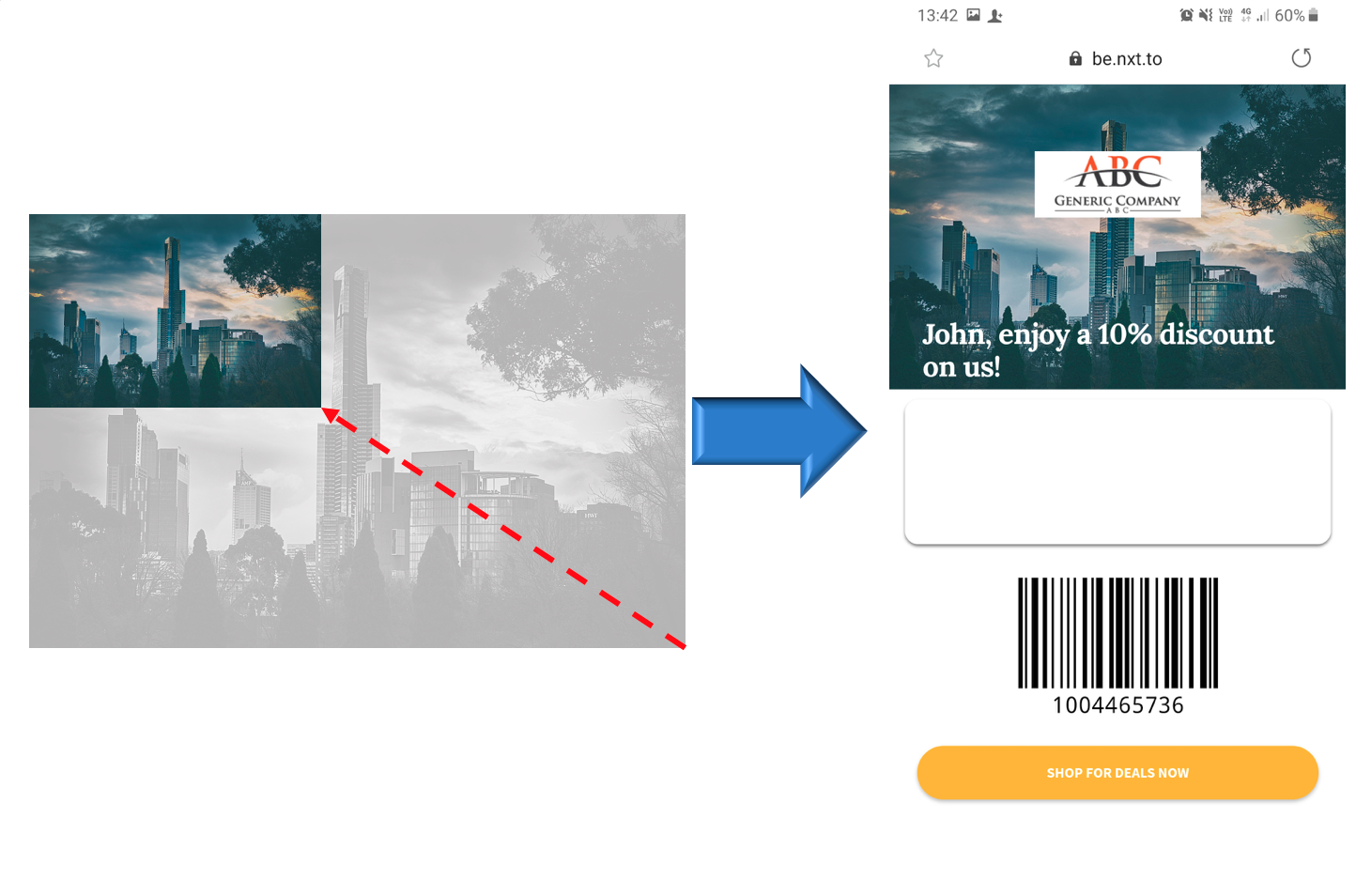
This will also cause the text box to appear blank, as the default text colour for these templates is white.
To prevent this from happening, crop your image to a portrait aspect ratio (the ideal size is 750 x 1624 pixels; an aspect ratio of approximately 6:13)
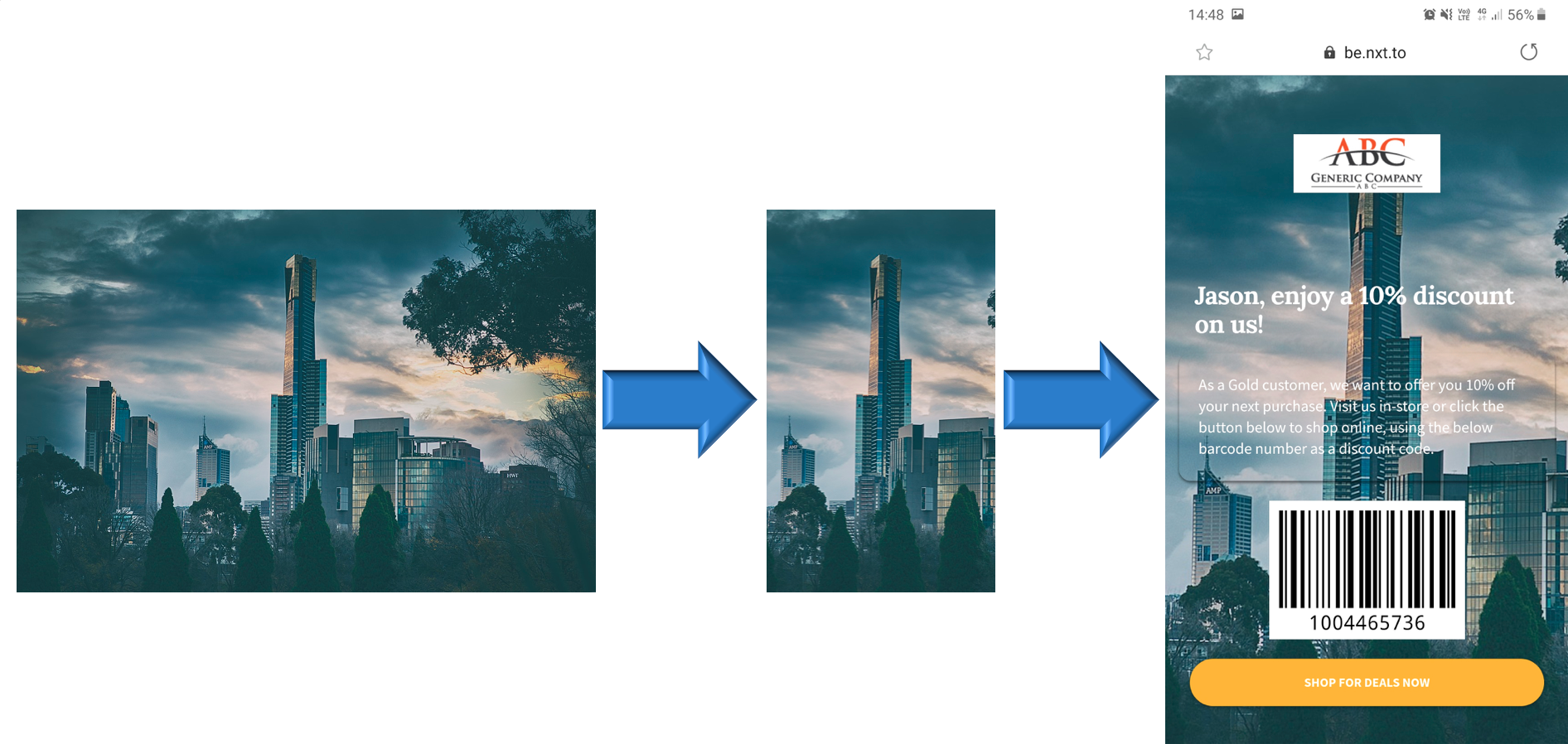
For more info on preparing images for your mobile landing pages, read this article